SSH that stays connected.
Fix your servers from your phone. Switch apps, come back, and the session is still there. No ads, no account.
Get it on Google PlayAndroid. Free to use; Plus is a one-time purchase.
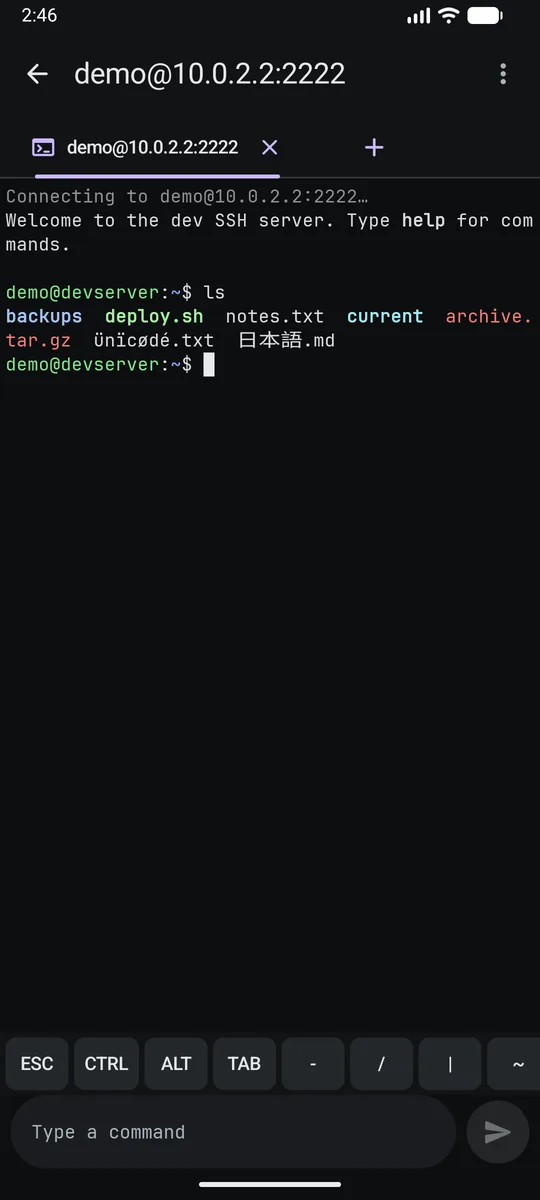
You shouldn't have to sign in twice for one fix.
Ads over the terminal
Many phone SSH apps pay for themselves with ads that cover the text or take over the screen in the middle of a session.
Sessions that vanish
Look up a password or answer a message, come back, and the connection is gone. You start again from the login.
How it works
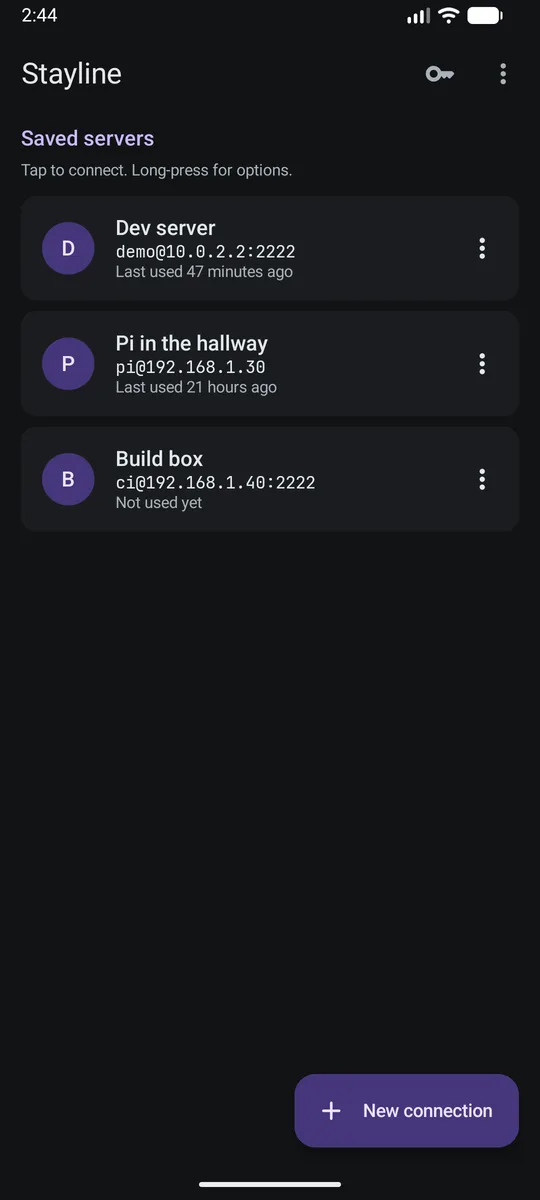
Add a server
Host, user and port. Saved for next time.
Sign in
With a password, or with a key you already use.
Work
Leave and come back whenever you need to. The session waits.
What's in it
Sessions stay connected
Background sessions in tabs, and a notification that takes you back to them.
No ads, no account, no tracking
There is no ads code and no analytics in the app. Your servers and keys stay on the phone.
Your key, or one in a tap
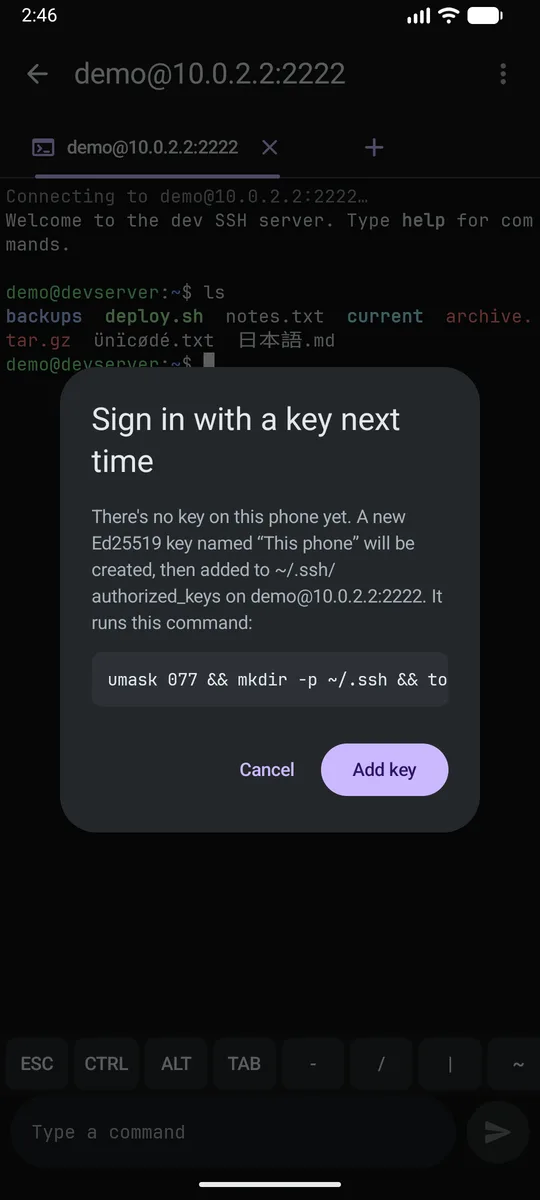
Import OpenSSH, PEM, PKCS#8 or PuTTY keys. Or sign in once with a password and let StaylineSSH add a key for you. It shows the exact command first.
A real terminal
vim and nano full screen, 256 colours, and Esc, Ctrl, Alt, Tab, arrows and F-keys on a key row.
Saved commands Plus
Send a command with one tap, and set one to run after each sign-in.
Checks who it talks to
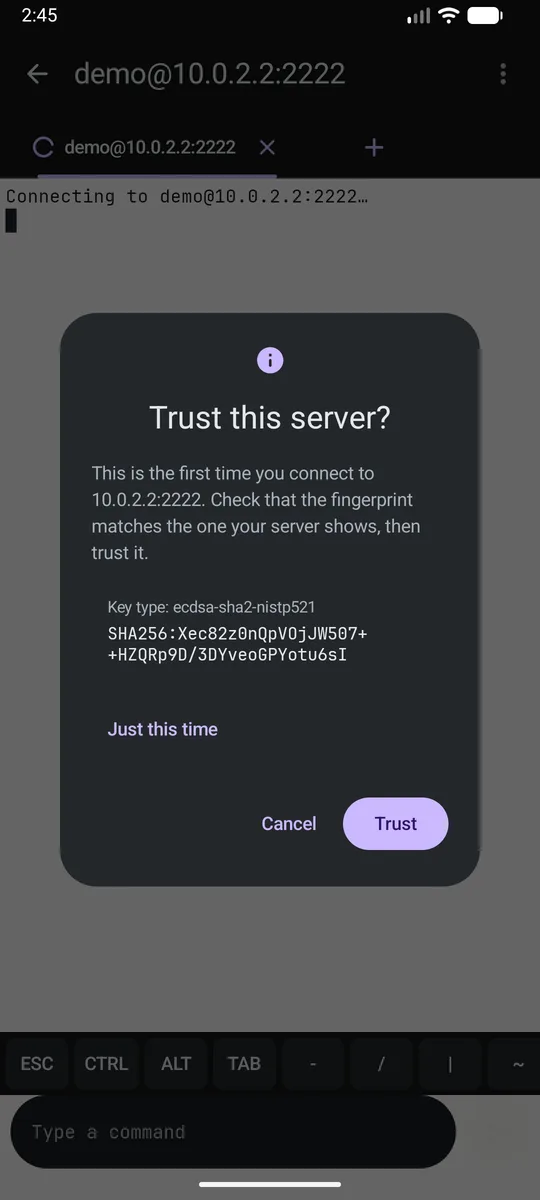
Host keys are verified on every connection, with the fingerprint shown the first time.
Pricing
StaylineSSH
€0
Everything you need to get into your servers.
- Unlimited servers and sessions
- Sessions that stay connected
- Keys: import, create, install in one tap
- High-contrast colour scheme
- No ads, ever
StaylineSSH Plus
€4.99 once
For people who live in the terminal.
- Saved commands and run-after-sign-in
- More colour schemes
- Future convenience features included
- No subscription, nothing renews
Questions
Is it really free of ads?
Yes, in both versions. There is no ad code in the app to switch on later.
Can I use the key I already have?
Yes: OpenSSH, PEM, PKCS#8 and PuTTY .ppk (v2 and v3) files with RSA, Ed25519 or ECDSA keys, with or without a passphrase.
Where are my passwords and keys?
On your phone only. Keys are encrypted with the Android Keystore. Saving a password is optional and needs your screen lock.
Do sessions stay open forever?
They stay open while you use other apps, with a notification so you can see them. If the network drops or the server ends the session, StaylineSSH tells you why and offers to reconnect.
Does it do SFTP or port forwarding?
Not yet. Both are on the list.
Is there an iPhone version?
Not for now. StaylineSSH is Android only.
Can I get a refund for Plus?
Plus is bought through Google Play, so Google Play's refund rules apply.
Your servers, one tap away.
Free on Android. No ads, no account.
Get it on Google Play